
Storyline for Oracle Cloud Free Tier Need
One day when I was working on a project in which I was using Convex as backend. Suddenly I realised two things that:
- I have never checked the Convex Plans and Pricing before which you can check here. and
- What are the options if they changed their pricing in future?
After some research I found that I can self-host convex on my platform. But for this need a machine, I mean literally a big machine but for that I need to spend money that I don’t have. At this time, I already started thinking that how can I get a free virtual machine which is powerful enough to handle Convex. And this is where Oracle Cloud shines. Oracle Cloud gives you access to virtual machine which can have up to 24GB of RAM plus up to 4 OCPUs and up to 200 GB Volume (storage). Yes! All these resources just for free lifetime as long as you follow some specific rules which we will discuss soon.
What Resources does Oracle Cloud Offers in Always Free Tier?
Let’s be clear, Oracle Cloud offer tons of resources in his Always Free Tier, some of them are listed below:
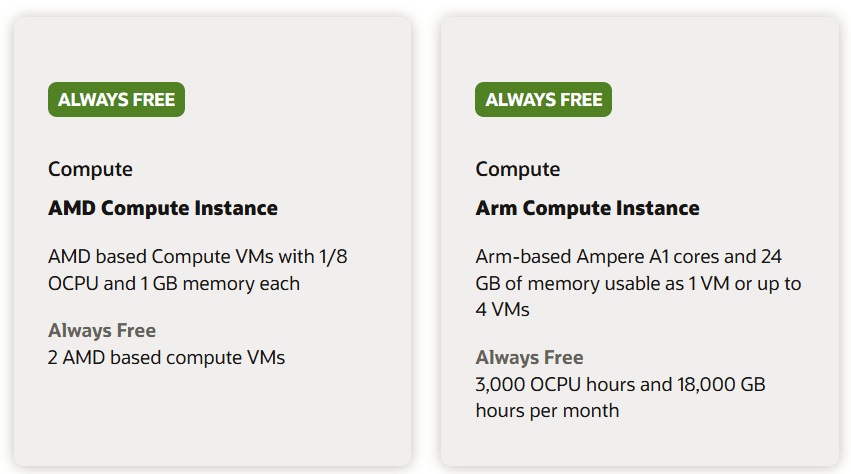
- Compute Instances: Up to 2 AMD-based VMs (VM.Standard.E2.1.Micro) with 1/8 OCPU and 1 GB memory each. Up to 4 Arm-based Ampere A1 VMs (VM.Standard.A1.Flex) with a total of 4 OCPUs and 24 GB memory, distributed flexibly.
- Storage: 200 GB Block Volume storage (shared across boot and block volumes). 20 GB Object Storage (Standard, Infrequent Access, and Archive tiers combined). 5 volume backups for block and boot volumes.
- Databases: 2 Oracle Autonomous Databases with 1 OCPU, 20 GB storage, and support for transaction processing, data warehousing, JSON, or APEX workloads. Oracle NoSQL Database with up to 133 million reads/writes per month and 25 GB storage per table (up to 3 tables). HeatWave DB System with 50 GB storage and an additional 50 GB for backups.
- Networking: 2 Virtual Cloud Networks (VCNs) with IPv4/IPv6 support. 1 Flexible Load Balancer with 10 Mbps bandwidth. 1 Network Load Balancer. 50 IPSec VPN connections for site-to-site connectivity.
- Monitoring and Notifications: 500 million ingestion datapoints and 1 billion retrieval datapoints for monitoring. 1 million HTTPS notifications and 1,000 email notifications per month.
- Other Services: 10 TB outbound data transfer per month. 5 Certificate Authorities (CAs) and 150 TLS certificates. 20 key versions for encryption and 150 secrets in OCI Vault.
for more details visit here → Oracle Cloud Free Tier
But for today we are only focusing on Virtual Machines/Compute Instances and the machine we are looking for is ++Arm-based Ampere A1++ machines. This is the only variant in which we get the highest RAM and CPU configuration. This is enough powerful for our purpose of self-hosting Convex.
How to Create a Free Tier Account on Oracle Cloud?
Lets go step by step from creating a free tier account to activating compute instance on Oracle:
Oracle Cloud Signup Process
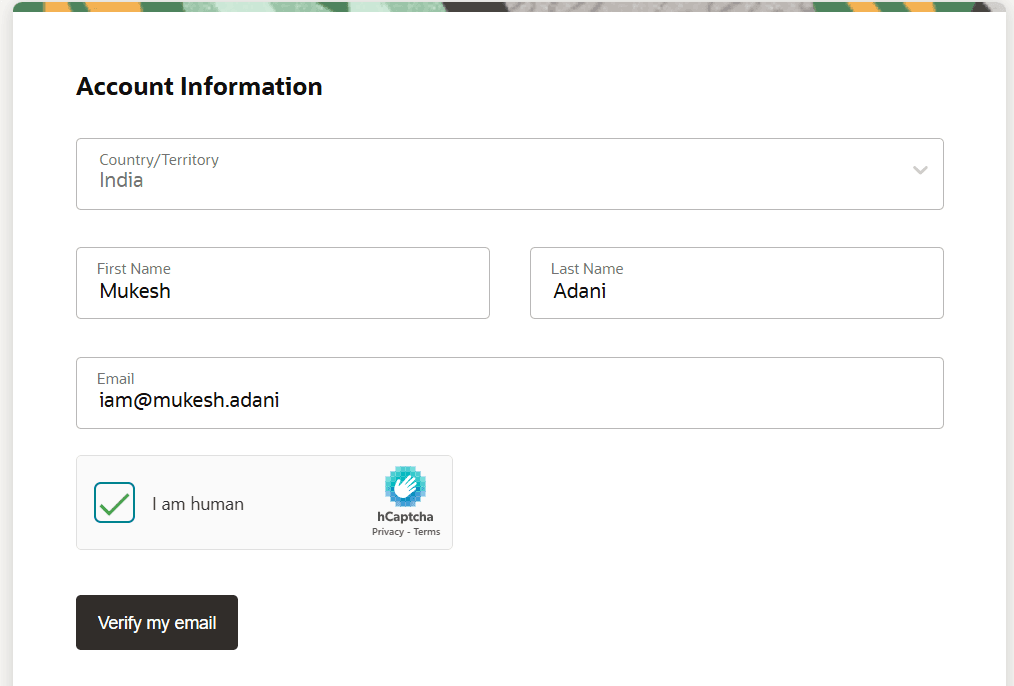
First you need to create an account on Oracle Cloud. To create the account go to https:// signup.cloud.oracle.com/ and fill the correct information as asked in the form:
- Your Country Name
- Your First Name
- Your Last Name
- Verify the captcha
and then click on verify email button. If you have any confusion, you can check the image below 👇
After clicking on verify email oracle will send you a verification email to verify your email which will look like this 👇
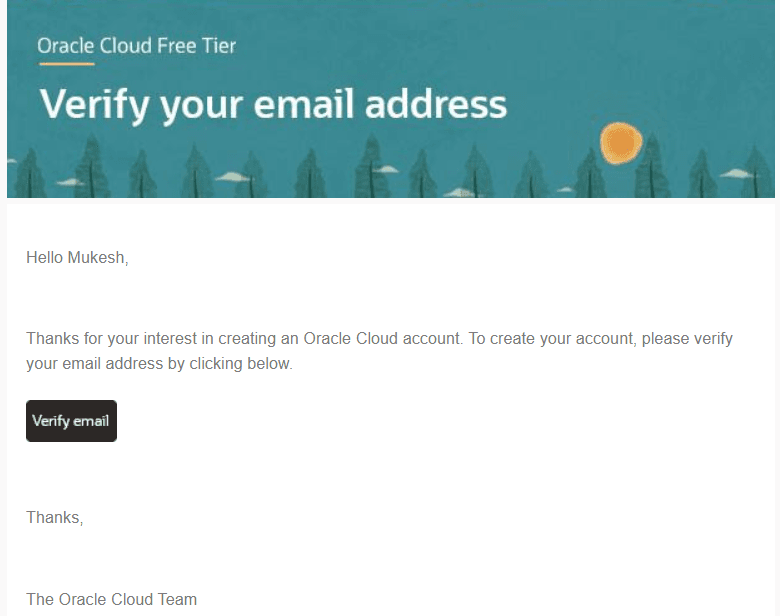
Now click on the ++Verify email++ button to confirm your email. After successful verification Oracle will redirect you to the next step where you need to fill more detaile like:
- Password
- Confirm password
- Customer type
- Cloud account name (prefilled by oracle)
- Home region (Most Important)
What to Select in Home Region?
First things first, this is neither your home region, nor where you live. This is the region where you want your free resources to exist. For example, if your target user is Indian then you should select Indian regions available like Mumbai or Hyderabad, this will make your applications feel faster as required data will load from the same region. You will get your free resources only in your home region, so this is very important selection. Choose it wisely.
After everything done click on submit then fill you address details. These details should be correct as Oracle verifies it via bank at the time of credit card verification. Now click on submit again.
Oracle Payment Verification
If all the above steps are correct you should be seeing a form like this 👇
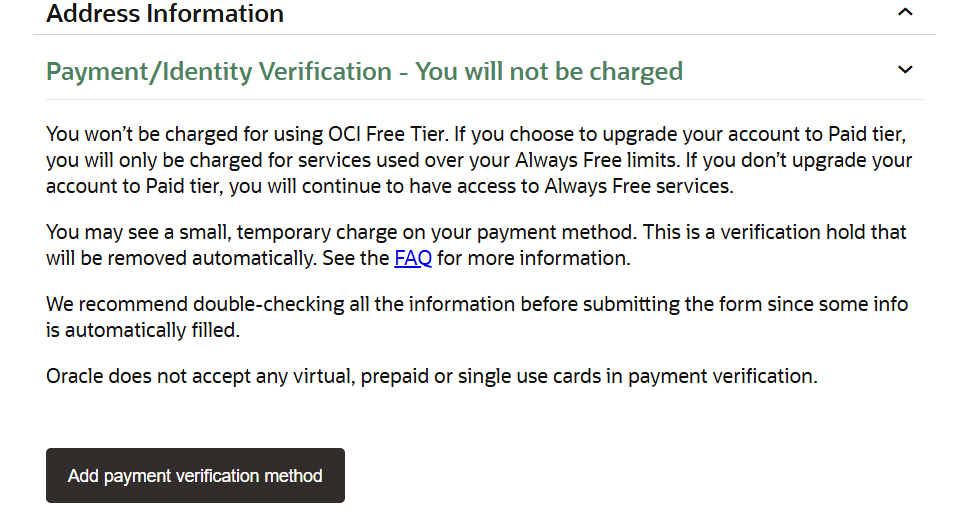
In this form click on ++Add payment verification method++ this will open a popup window where you need to fill your credit card details, billing address and your card network - Mastercard/Visa. Make sure you have enabled international transaction in your credit. Now click on Submit. Don’t worry, Oracle will not charge you they just do a temporary payment deduction which will get reversed instantly.
After successful transaction, click on submit and proceed further.